



When you need to turn website visitors into leads, a dedicated landing page builder is indispensable. Unbounce and Leadpages both promise drag‑and‑drop ease, A/B testing, and conversion‑boosting features—but which one truly moves the needle? In this side‑by‑side comparison, we’ll explore their strengths, weaknesses, and ideal use cases so you can pick the tool that best fits your needs and budget.
Why Landing Page Builders Matter
High‑converting landing pages are crucial for capturing email subscribers, promoting webinars, running limited‑time offers, and more. Off‑the‑shelf website themes often lack the flexibility or optimization options required to maximize conversions. That’s where Unbounce and Leadpages come in: they provide specialized templates, pop‑up and sticky‑bar tools, and testing capabilities designed specifically to drive action.
Unbounce at a Glance
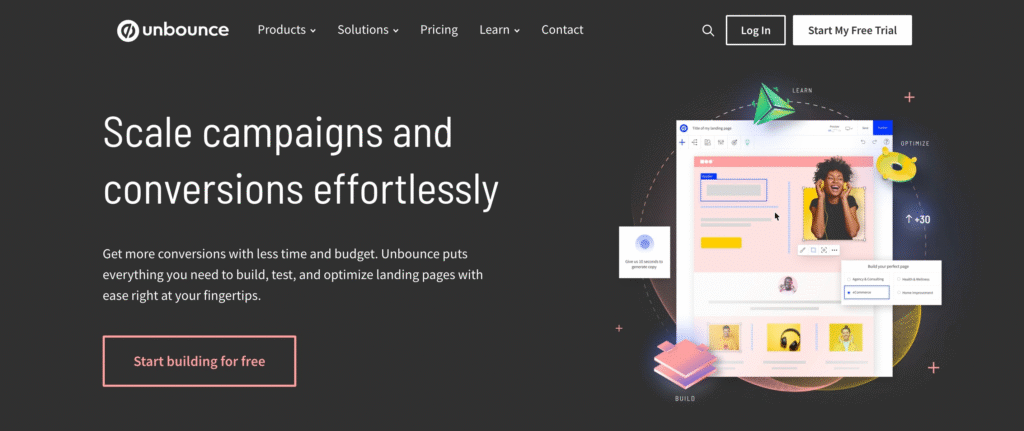
Unbounce positions itself as the marketer’s “Swiss Army knife” for conversion optimization. Key highlights include:
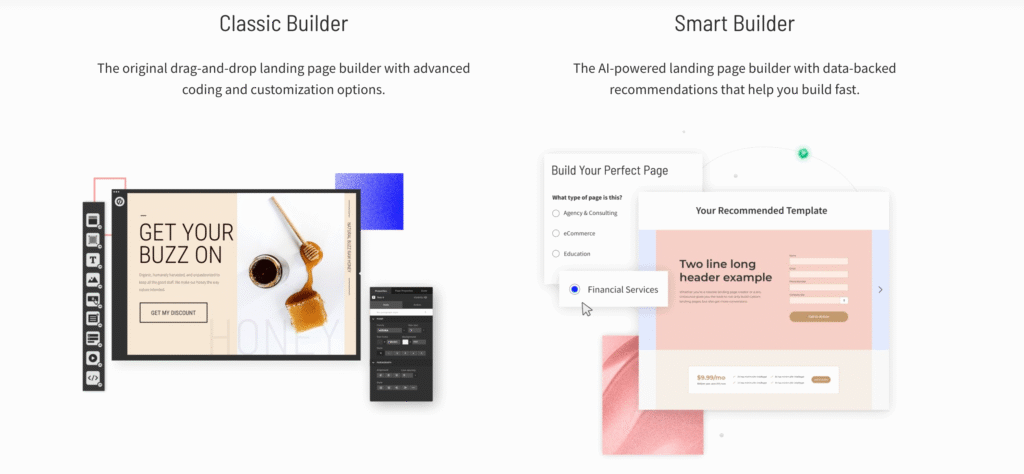
- Smart Builder & Classic Builder: Choose AI‑driven page creation or a fully custom drag‑and‑drop interface.
- Smart Traffic: Automatically directs visitors to the variant most likely to convert.
- Dynamic Text Replacement: Personalize headlines and CTAs based on ad keywords or URL parameters.
- Pop‑ups & Sticky Bars: Highly customizable overlays to capture attention at ideal moments.
- Native A/B Testing & Analytics: Built‑in split‑test setup and real‑time performance data.

Ideal for: Mid‑sized to enterprise teams seeking granular customization and AI optimization to squeeze out every last lead.
Leadpages at a Glance
Leadpages earns praise for its simplicity and speed. Its standout features include:
- 250+ Professionally Designed Templates: Pre‑optimized layouts for everything from squeeze pages to sales funnels.
- Drag‑and‑Drop Editor: Rapid launch capability without coding.
- Built‑in Lead Management: Centralized “Lead Magnet Delivery” and a lightweight CRM for managing opt‑ins.
- Alert Bars & Pop‑ups: User‑friendly overlays that integrate seamlessly with your landing pages.
- Real‑Time Analytics: Track visits, opt‑in rates, and conversions in a single dashboard.
Ideal for: Solopreneurs, small businesses, and newcomers who prioritize quick setup and straightforward lead capture.
Feature Face‑off
| Feature | Unbounce | Leadpages |
|---|---|---|
| Template Library | 100+ in Classic; AI‑generated in Smart Builder | 250+ pre‑tested, fully responsive |
| Page Customization | Infinite freedom with CSS/JS support | Template‑based, more restrictions |
| AI & Optimization | Smart Traffic + Dynamic Text Replacement | Leadmeter scoring + AI copy + image generation |
| Pop‑ups & Sticky Bars | Advanced triggers, scheduling, personalization | Easy setup, fewer targeting rules |
| Lead Management | Integrations with top CRMs | Built‑in Lead Library; simple CRM functionality |
| Integrations | 20+ native + 30+ through apps (Zapier, Shopify, HubSpot, etc.) | 40+ native (Mailchimp, Salesforce, Facebook Ads, etc.) |
| Ease of Use | Moderate learning curve; wealth of features | Extremely intuitive; minimal ramp‑up time |

Deep Dives
1. Page Building & Templates
Unbounce’s dual‑mode builder caters to both hands‑on designers and those who prefer AI‑guided layouts. The Classic Builder grants pixel‑perfect control, while Smart Builder churns out conversion‑ready pages in minutes. Leadpages, by contrast, leans into simplicity: select a template, swap in your branding, and publish—ideal for users who value speed over fine‑tuned custom elements.
2. Pop‑ups & Sticky Bars
Both platforms offer modal pop‑ups and notification bars, but Unbounce shines with advanced rules (e.g., by URL, referrer, time on page) and Dynamic Text Replacement to personalize messages. Leadpages makes pop‑up creation nearly as effortless but stops short of Unbounce’s level of conditional logic and real‑time content swapping.

3. AI & Conversion Optimization
Unbounce’s Smart Traffic algorithm learns from visitor behavior to automatically funnel traffic to the best‑performing page variant—no manual A/B setup required. Dynamic Text Replacement further hones relevance, swapping keywords in headlines and CTAs on the fly. Leadpages counters with Leadmeter, an AI‑driven scorecard that audits your page’s conversion potential and offers actionable tips, plus AI‑generated headlines and images to help you iterate faster.
4. Lead Management
While Unbounce focuses on seamless connections to external CRMs and email platforms—so your team’s sales pipeline updates instantly—Leadpages builds a lightweight lead repository inside its platform. You can deliver downloadable content, trigger email sequences, and view subscriber details without leaving the dashboard, making it a strong choice for those not yet using a full‑blown CRM.
5. Integrations & Ecosystem
Both services integrate with popular tools via native connections and Zapier. Unbounce offers deeper e‑commerce and analytics links (Shopify, Google Analytics, Hotjar), while Leadpages covers an extensive roster of email, payment, and webinar platforms. Ultimately, whichever tool aligns with your stack will minimize friction.
6. Ease of Use
Leadpages takes the crown for accessibility—no technical background needed. Unbounce’s richer feature set carries a slight learning curve, though its AI features significantly reduce manual effort once you’re familiar with the interface.
Pricing at a Glance
| Plan | Unbounce (Billed Annually) | Leadpages (Billed Annually) |
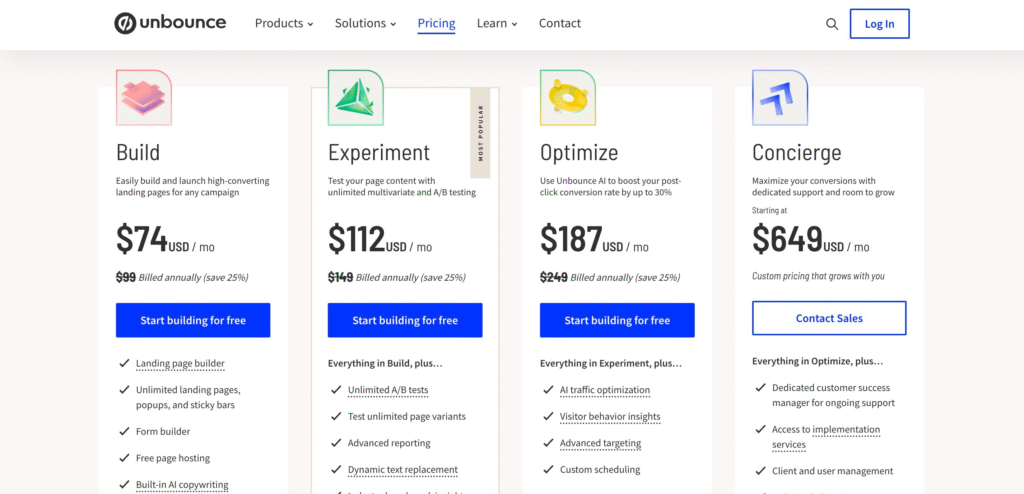
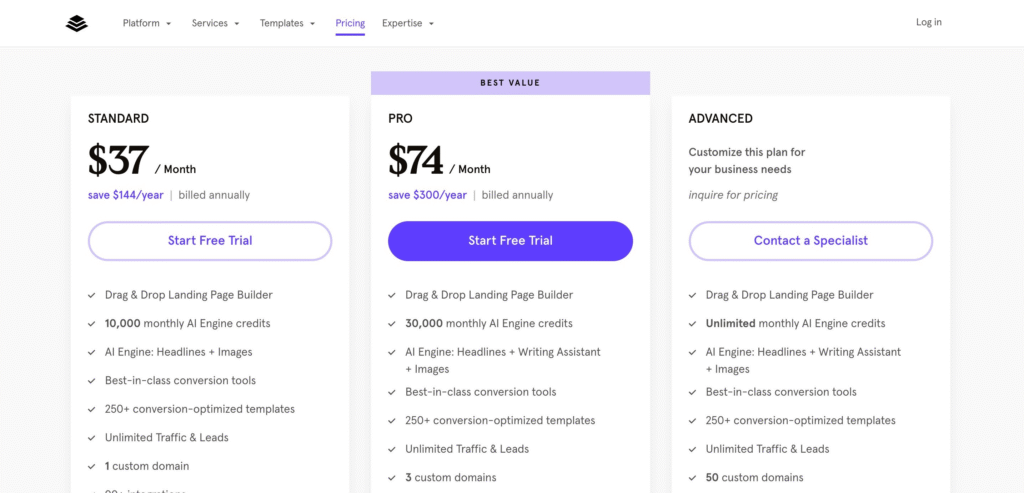
| Entry | Build: $74/month (20K visitors) | Standard: $37/month (unlimited) |
| Mid‑Tier | Experiment: $112/month (30K visitors) | Pro: $74/month |
| Advanced | Optimize: $187/month (50K visitors) | Advanced: Custom pricing |
| Enterprise | Concierge: $649/month (custom limits) | — |
Leadpages offers a lower starting price, making it appealing for budget‑conscious creators. Unbounce’s higher tiers justify themselves with AI optimization and premium support.

Who Should Choose Which?
- Pick Unbounce if…
You’re a marketing team or agency that demands pixel‑perfect control, advanced personalization, and automated optimization to scale high‑stakes campaigns. - Pick Leadpages if…
You’re a solopreneur, blogger, or small business owner who wants to launch conversion‑focused pages in minutes without grappling with too many settings.
Final Verdict
Both Unbounce and Leadpages excel at transforming clicks into customers, but they cater to different audiences. Unbounce edges ahead for power users who crave AI‑driven traffic routing and dynamic personalization, while Leadpages wins fans with its lightning‑fast setup and built‑in lead management. Evaluate your budget, technical comfort, and growth goals to determine which platform will deliver the best return on your investment—and start turning your traffic into tangible results.


