



In today’s fast‑paced digital world, integrating artificial intelligence into your design workflow isn’t just a novelty—it’s rapidly becoming a necessity. From crafting eye‑catching visuals to automating complex image analysis, AI design tools can save time, spark creativity, and give your team a competitive edge. Below, we explore five key areas where AI shines, along with the standout platforms you’ll want to try.

1. Text‑to‑Image Generation: Turning Prompts into Pictures
Gone are the days when you needed drafting skills or a camera to produce original imagery. Advanced text‑to‑image engines now translate simple prompts into polished art, illustrations, or photo‑realistic compositions.
- DALL·E 3 (OpenAI)
Offers an intuitive interface and consistently impressive results—ideal for marketers and storytellers who need on‑demand concept art. - Midjourney
Praised for its artistic flair, Midjourney excels at moody, stylized images. Many designers start here when they need inspiration or mood boards. - Stable Diffusion
As an open‑source option, Stable Diffusion lets power users tweak model parameters for total creative control. - Adobe Firefly
Seamlessly integrates AI images into Adobe’s Creative Cloud apps, making it easy to layer AI‑generated assets into your existing photo or graphic work. - Generative AI (by Shutterstock)
Guarantees royalty‑free, commercially safe images—perfect for businesses with strict licensing needs.
Why It Matters: Text‑to‑image tools can reduce design costs, accelerate brainstorming sessions, and help non‑artists bring visual projects to life. Just remember to respect each platform’s usage and copyright policies.
2. Graphic Design Dashboards: Streamlining Layout and Branding
Whether you’re building a logo, crafting social media graphics, or designing a full brand kit, AI‑powered graphic tools can cut repetitive tasks and suggest fresh ideas.
| Tool | Highlight Feature |
|---|---|
| Canva | Free templates + AI background removal |
| Stockimg.ai | One‑click prompts for clean, commercial images |
| Looka | Instant logo and brand‑identity generator |
| DreamStudio | Rapid, high‑quality text‑to‑image batch creation |
| Midjourney & DALL·E 2 | Community‑driven style variations |
Key Benefits:
- Style Libraries let you toggle between minimal, retro, futuristic, and other aesthetics.
- Mood Sliders fine‑tune color temperature or contrast for a cohesive brand look.
- Keyword Commands accelerate batch production without manual layout tweaks.
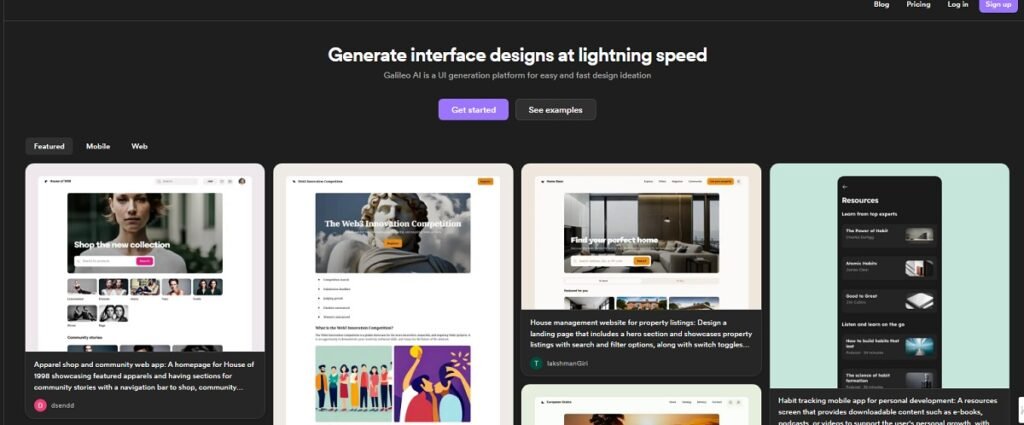
These platforms empower both solo entrepreneurs and agency teams to iterate quickly—often shaving hours off each design cycle.
3. AI‑Assisted Website Builders: Launch Sites in Minutes
Building a modern, responsive website used to require coding prowess and lengthy back‑and‑forths with developers. AI changes all that, offering drag‑and‑drop editors that “think” for you.
- Unbounce
A landing‑page specialist, Unbounce uses smart‑traffic routing and dynamic text replacement to boost conversions—no developer needed. - 10Web
Powered by Google Cloud, 10Web’s AI site builder takes any URL and re‑creates it in WordPress. It also integrates AI copywriting, automatic performance optimization, and WooCommerce support for e‑stores. - Wix Studio
Packed with AI design assistants, real‑time layout adjustments, and an in‑app code helper, Wix makes complex animations and mobile previews a breeze.
Why It Matters: AI builders dramatically reduce time‑to‑launch—from weeks to mere hours—while ensuring your site scales and loads quickly on every device.
4. Mobile App Prototyping: From Idea to Interface
Even rudimentary prototyping once meant a tangle of sketch pads or clunky software. AI prototyping tools now interpret your verbal descriptions or hand‑drawn wireframes into polished app screens.
- Uizard
Snap a photo of your napkin sketch or jot a text description; Uizard instantly converts it into editable UI layouts. Collaboration features let teams comment in real time. - Appy Pie
A no‑code mobile‑app builder geared to small businesses, Appy Pie offers drag‑and‑drop modules for e‑commerce, restaurants, podcasts, and more—plus GDPR‑compliant hosting. - Galileo AI
Geared toward professional designers, Galileo crafts high‑fidelity, Figma‑compatible mockups from simple prompts. It’s excellent for exploring multiple design directions in minutes.
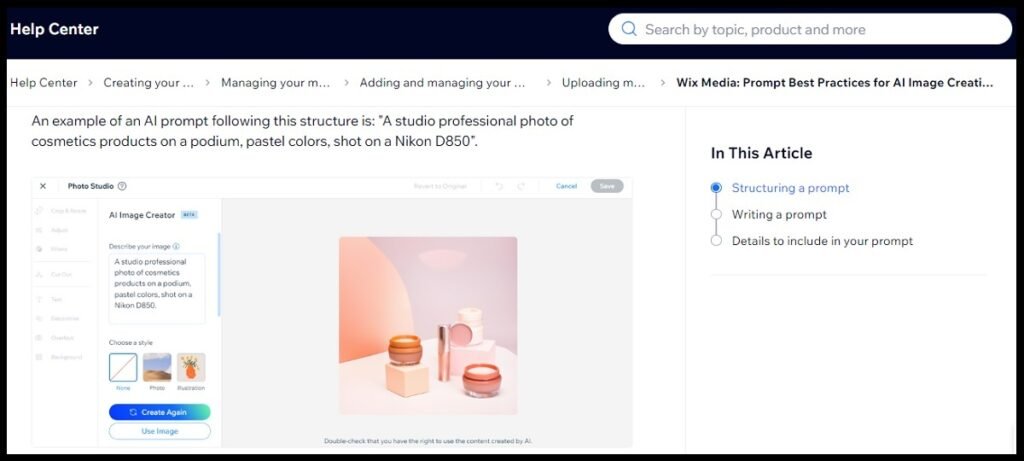
Key Benefits: Rapid prototyping slashes feedback loops, enabling you to test usability and brand consistency long before development starts.
5. Image Recognition & Analysis: Unlocking Visual Insights
The flip side of image creation is image understanding. AI‑powered vision APIs can detect objects, faces, text, and even emotional cues—opening doors for security, marketing analytics, and accessibility features.
- Google Vision AI
From logo detection and landmark identification to safe‑search filtering and optical character recognition, Vision AI offers a broad toolkit via simple RESTful calls. - Amazon Rekognition
A fully managed AWS service, Rekognition can verify identities, track people in video streams, and flag inappropriate content in real time. - Clarifai
Specializing in both vision and natural language mashups, Clarifai’s platform includes pre‑trained models for sentiment analysis on visuals, custom model training, and audio‑visual synchronization.
Why It Matters: Embedding image‑analysis features into your applications not only enhances user experiences—such as auto‑tagging photos or moderating uploaded content—but also unlocks new data‑driven insights for business intelligence.
The Final Word
Across every creative domain—from generating images at the click of a button to building robust websites and decoding visual data—AI design tools are reshaping how we work. These platforms not only boost productivity but also democratize design, letting anyone with a vision turn ideas into reality.
As machine learning and neural‑network technologies continue to evolve, expect even tighter integrations, smarter context‑awareness, and richer collaborative experiences. The question is no longer if you’ll leverage AI in your design process, but which tools you’ll pick first.
Ready to explore? Pick one use case above, sign up for a free trial, and see how AI can transform the way you create.


